How to Adjust Your Cabinet Hinges and Drawer Slides
If you searched ‘how to adjust cabinet doors’ and landed here, you’re in the right place.
When your Boxco cabinets are first installed, your installer is responsible for adjusting all doors and drawers so that everything is flush, aligned, and sitting with consistent 1/8″ reveals between door faces. That’s part of the installation process, and your cabinets should look all dialed in when the job is complete. If something doesn’t look right on day one, that’s a conversation to have with your installer.
This guide is for what comes after — the months and years of living with your cabinetry. It’s here to help you keep things looking just as sharp as the day they were installed.
If you’ve noticed a cabinet door that’s slightly crooked, a gap that wasn’t there before, or a drawer front that looks a little off — don’t panic. This is completely normal.
Wood is a living material. It expands and contracts with seasonal humidity changes, and plywood cabinetry is no exception. Even the most precisely built cabinets will shift slightly over time. That’s not a defect — it’s just how wood works. The good news is that your Boxco cabinets are built with Blum hardware specifically because it’s designed for easy, tool-minimal adjustments that you can do yourself in a few minutes. Adjusting plywood cabinetry is a routine part of ownership, not a sign that something went wrong.
Think of it like tuning a guitar. You don’t play it once and never touch the tuning pegs again. A quick adjustment once or twice a year keeps everything looking and feeling perfect.
What you’ll need: A Phillips head screwdriver. That’s it!
Adjusting Your Cabinet Door Hinges (Blum CLIP top BLUMOTION)
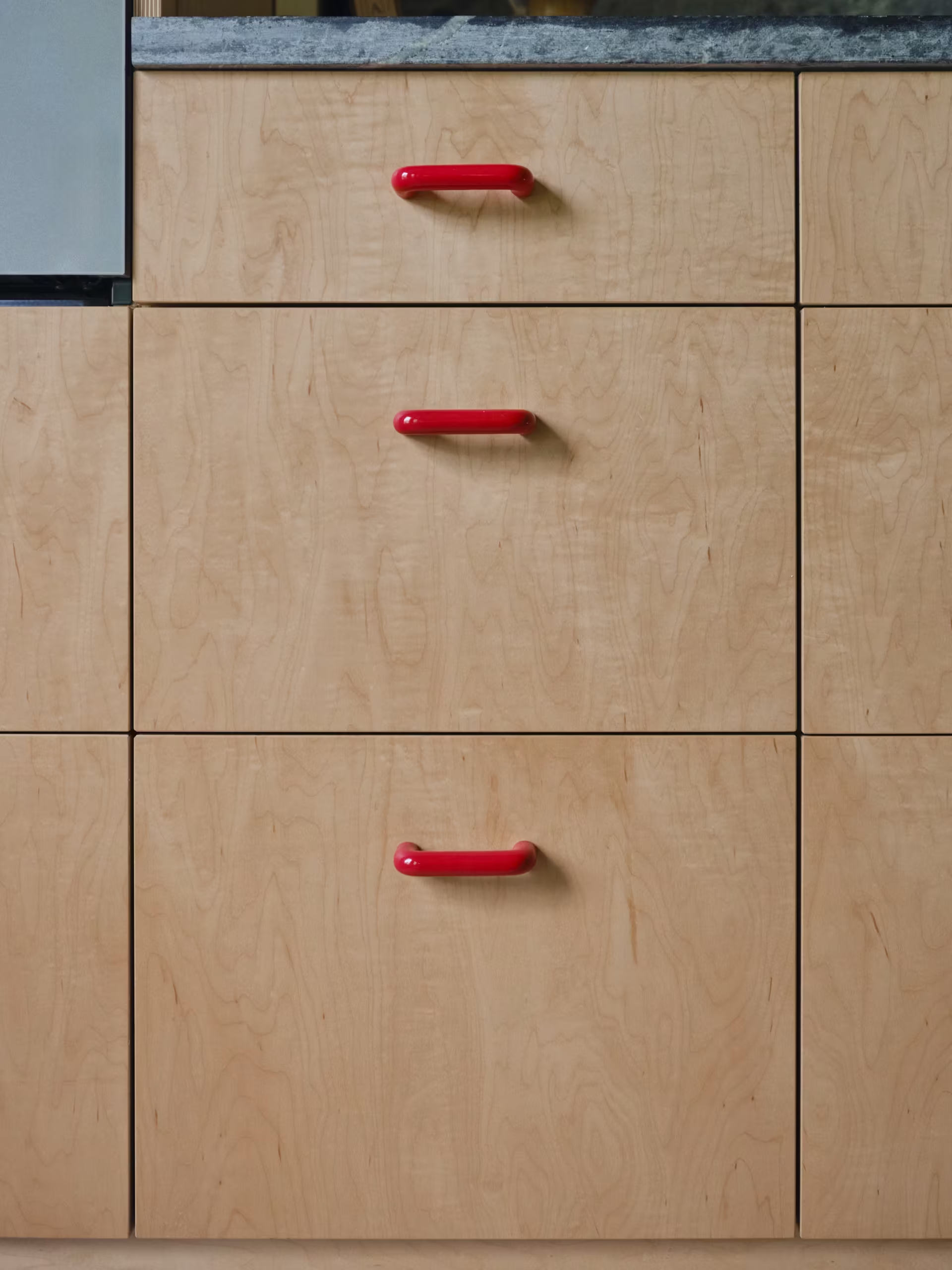
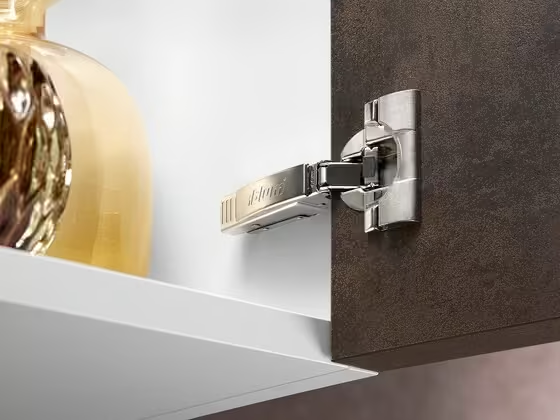
Your cabinet doors are mounted on Blum CLIP top BLUMOTION 110° concealed hinges. These premium soft close hinges feature three-way adjustment, meaning you can move your doors side to side, up and down, and in and out — all by turning a single screw for each direction. Open your cabinet door and look at the hinge arm attached to the inside of the cabinet. You’ll see a few screws. Each one controls a different direction of movement. (See video below.)
Adjusting Side-to-Side, In-and-Out, & Up-and-Down
Side to side (fixing uneven gaps between doors):
This is the most common cabinet door alignment issue and the easiest to fix. Locate the screw on the hinge arm closest to the cabinet door. Turning it clockwise moves the door toward the hinge side; counterclockwise moves it away. Make small turns — a quarter turn at a time — and close the door to check the gap after each adjustment. If you have two hinges on a door, adjust both evenly to keep things aligned. This is the go-to fix for how to adjust plywood cabinet doors that have shifted with the seasons.
Depth — in and out (door not sitting flush with neighboring doors):
The screw farthest from the cabinet door on the hinge arm controls how close or far the door sits relative to the cabinet frame. Turn clockwise to push the door away from the cabinet, counterclockwise to pull it closer. This is the Blum CLIP top adjustment to use if your full overlay cabinet doors are sticking out further on one side than the other, or if your cabinet doors are not closing properly against the bumpers.
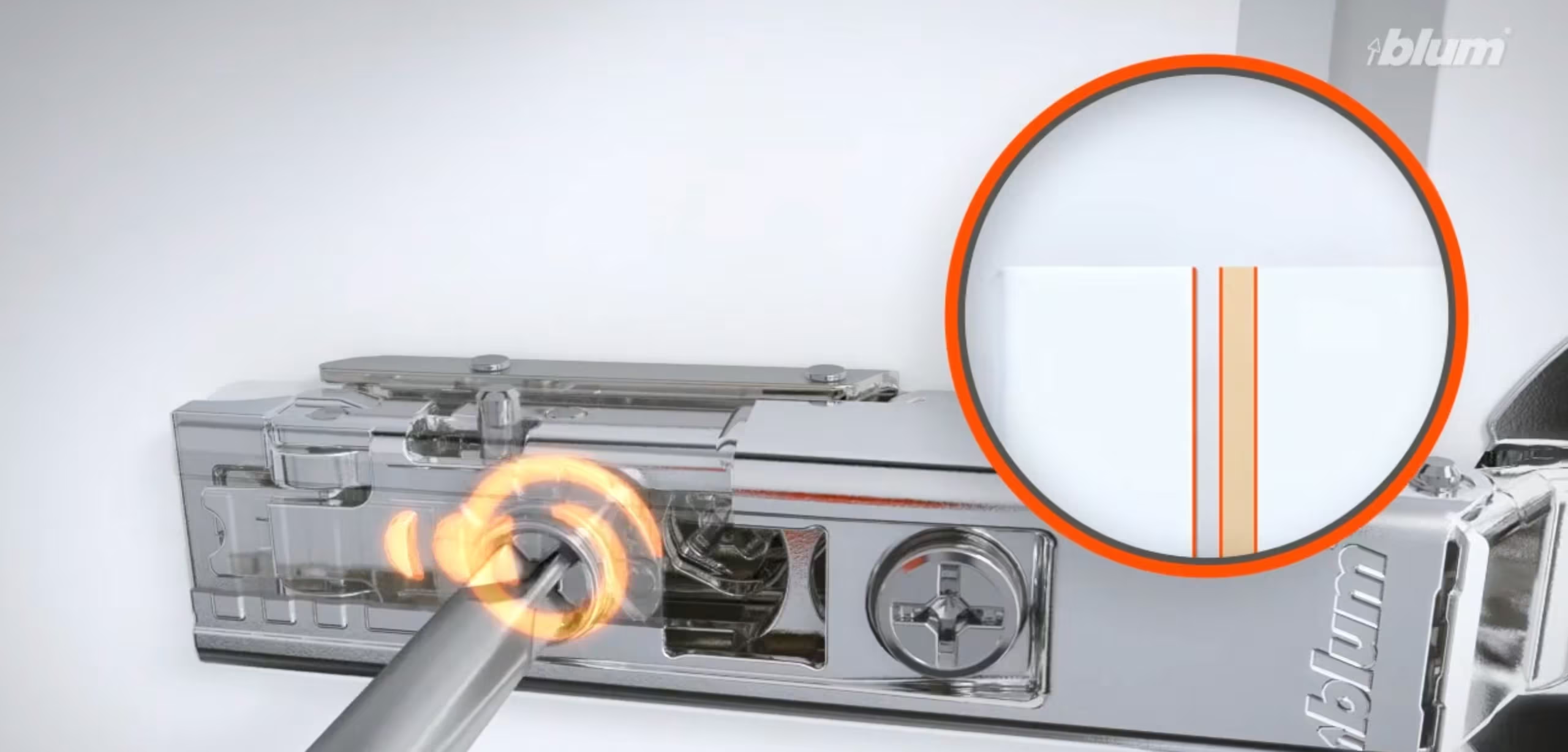
Height — up and down (door is higher or lower than its neighbor):
This one works a little differently. You’ll need to slightly loosen the two screws on the mounting plate (the piece attached to the inside wall of the cabinet). Once loosened, you can slide the entire hinge up or down by a couple of millimeters. When you’ve got it where you want it, retighten both screws. This adjustment is less commonly needed but is useful when doors look uneven along their top or bottom edges.
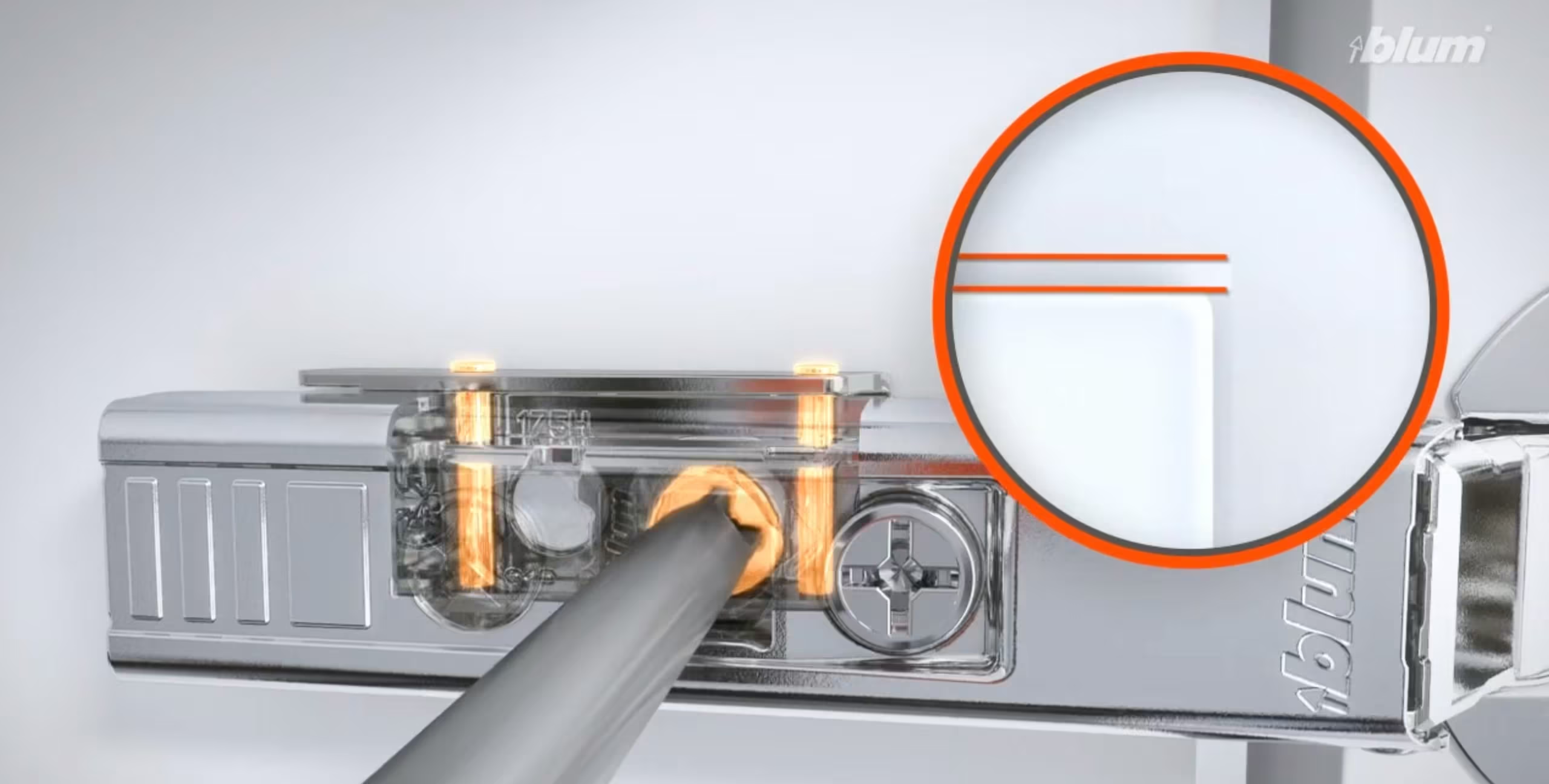
If you’ve run through all three adjustments and your soft close hinges still aren’t pulling the door shut on their own, make sure nothing is blocking the hinge’s range of motion — a shelf liner or item inside the cabinet can interfere. Learning how to adjust soft close hinges is mostly about patience and small increments.
SKIP TO THE VIDEO: Need a visual? Watch this SUPER HELPFUL VIDEO that shows you how to adjust your cabinets.
Adjusting Your Lift-Up Cabinet Doors (Blum AVENTOS HK)
Some of your upper cabinets may have doors that swing upward rather than opening to the side. These use Blum AVENTOS HK lift systems — a stay lift where the door is attached to lever arms inside the cabinet that lift the front upward and parallel to the cabinet, holding it up and out of your way. AVENTOS HK doors are designed to hold in any open position and close softly with BLUMOTION. There are two types of adjustments you may need to make: the lift mechanism tension and the door alignment.
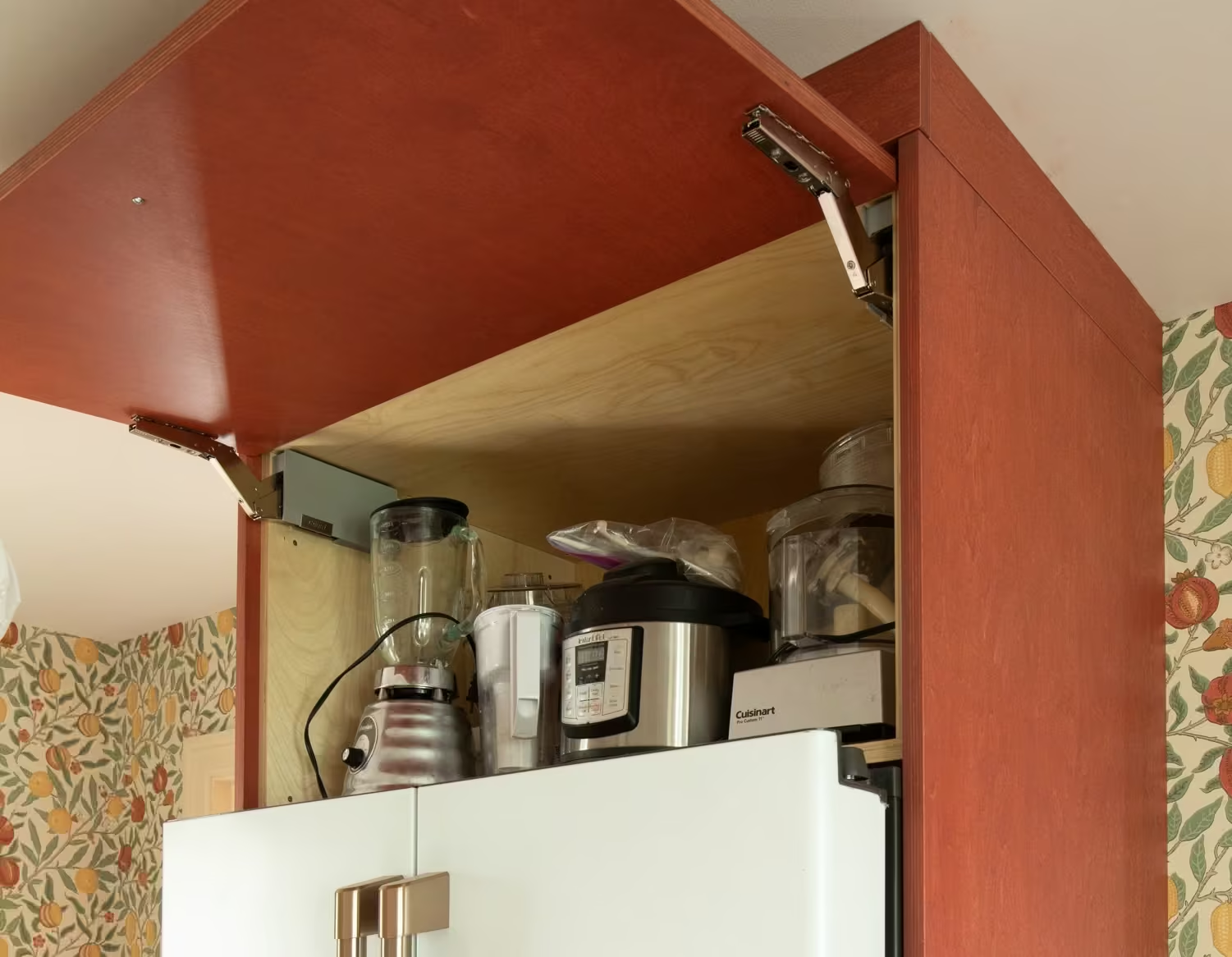
Lift mechanism tension (door doesn’t stay open, or springs up too aggressively):
This is the most common AVENTOS HK adjustment. The lift mechanism is calibrated to the weight of your door — if it’s not set correctly, the door may slowly drift closed on its own or spring upward when you open it. To adjust, locate the lift mechanism inside the cabinet on each side (it’s the housing the lever arm connects to). Using a Phillips or Pozidriv screwdriver — or ideally a cordless drill with a PZ2 or PH2 bit — turn the adjustment screw to increase or decrease the spring tension. You’ll need to adjust both the left and right lift mechanisms equally. You’ve found the right setting when the door stays put at any height you leave it — fully open, halfway, or just cracked. This adjustment can take a bit of patience; make small turns, test, and repeat.
Door alignment — side to side, height, and depth:
Just like your standard cabinet doors, AVENTOS HK fronts can be adjusted in three dimensions for perfect gap alignment. These adjustments are made at the hinge points where the door clips onto the lever arms, using cam screws and a screwdriver. Side to side adjustment corrects uneven gaps between the lift door and adjacent cabinets. Height adjustment raises or lowers the door. Depth adjustment moves the door closer to or farther from the cabinet. Make small turns on the cam screws and check alignment after each adjustment.
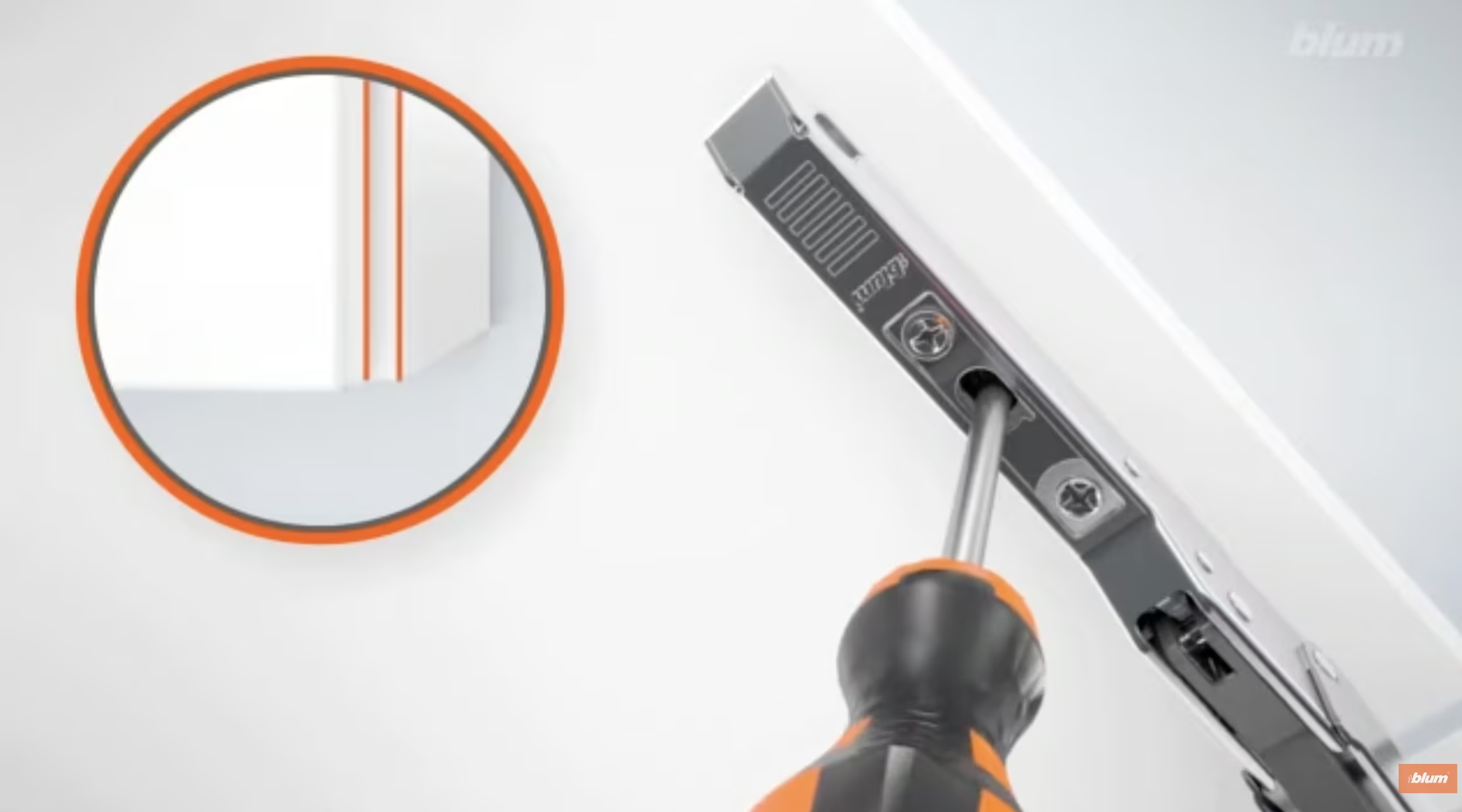
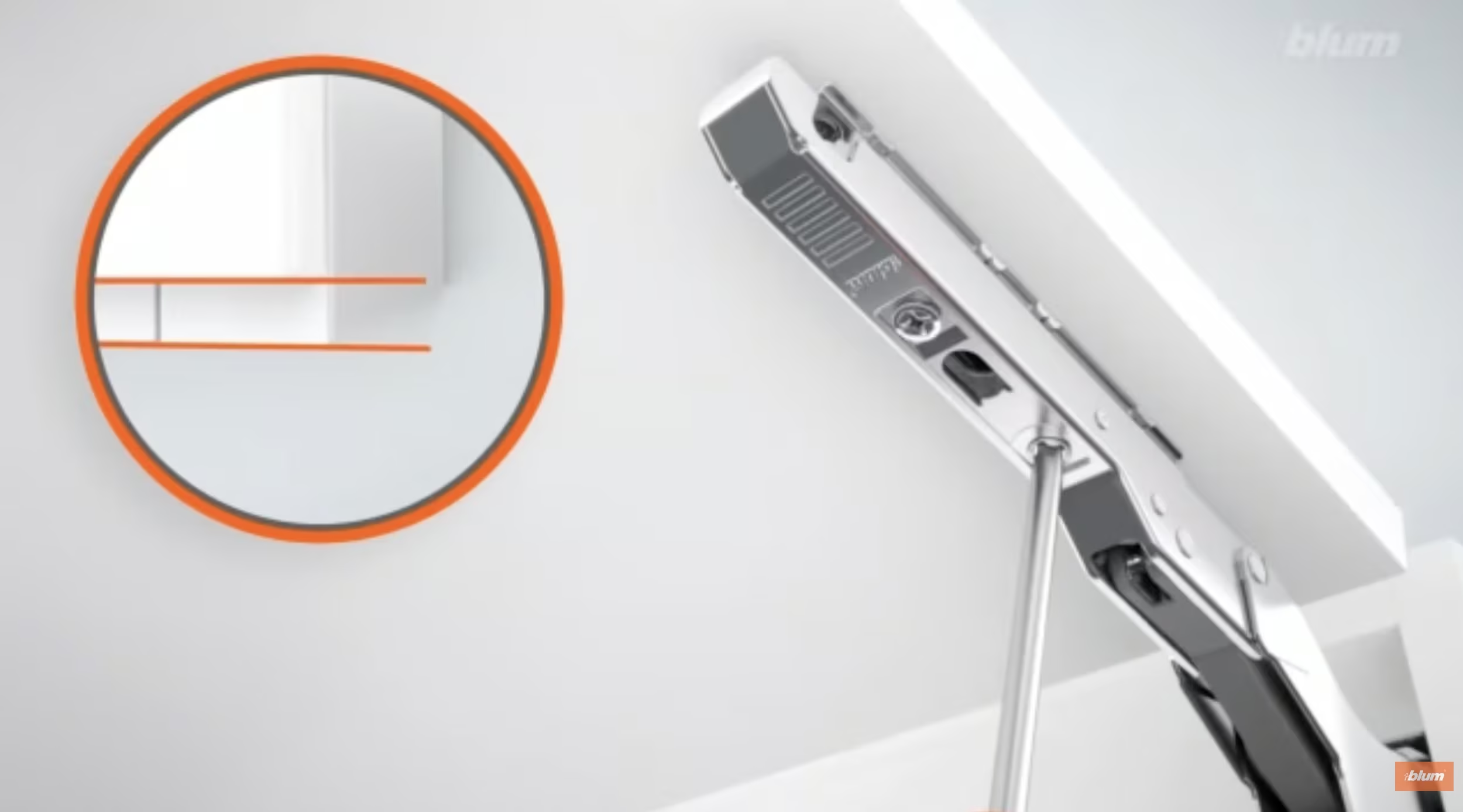
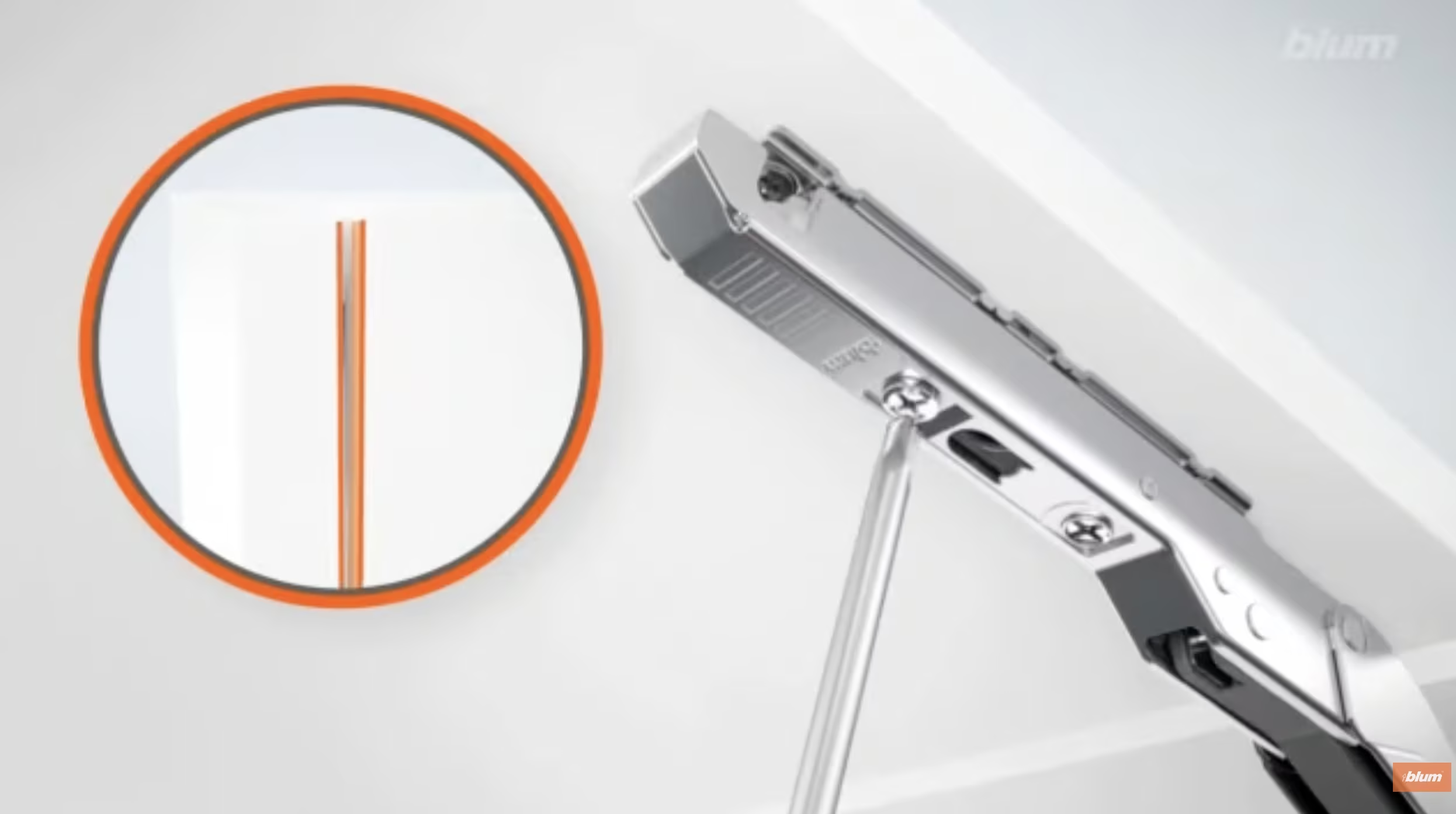
Door not closing fully or softly:
If your AVENTOS HK door isn’t closing completely or the soft close feels off, the lift mechanism tension is likely the first thing to check — if the spring is set too strong for the door weight, it can resist closing. Also check that nothing inside the cabinet is blocking the lever arms’ range of motion. If your system includes TIP-ON (push-to-open), refer to the TIP-ON section above for additional troubleshooting.
Here’s the tutorial video for AVENTOS HK adjustments: AVENTOS HK: adjustment options
A note on safety:
AVENTOS HK lift mechanisms are spring-loaded and under tension. The adjustments described here are safe and straightforward, but avoid removing or disassembling the lift mechanism housing itself. If something seems mechanically wrong beyond a simple tension or alignment tweak, reach out to us for troubleshooting.
Adjusting Your Drawer Slides (Blum TANDEM plus BLUMOTION)
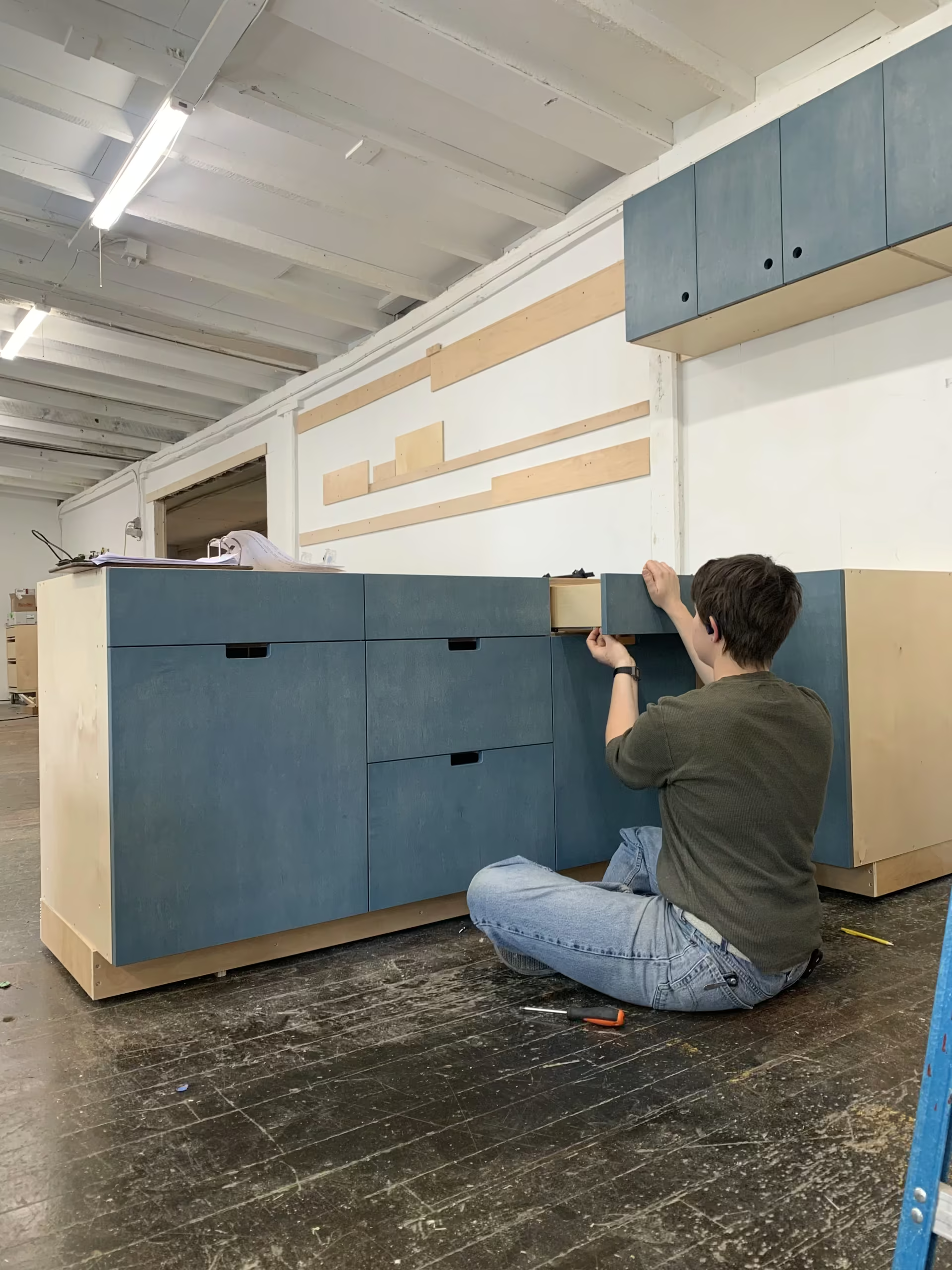
Your drawers ride on Blum TANDEM (or sometimes MOVENTO > see below) plus BLUMOTION undermount slides — they’re hidden underneath the drawer box, which is why your drawers have that clean, hardware-free look. Like your hinges, these soft close drawer slides offer adjustment in multiple directions so you can fine-tune how the drawer front aligns with the cabinet face. Knowing how to adjust soft close drawer slides will keep your cabinetry looking crisp for years.
Side to side (drawer front shifted left or right):
Drawer Front: With the drawer closed, look at the front locking clips underneath the drawer box on each side. You’ll find a small adjustment mechanism — turn the front screw clockwise to shift the drawer front to the right, counterclockwise to shift it left. Adjust one side at a time and check alignment after each turn.
Here’s the video: TANDEM plus BLUMOTION: Side-to-Side Adjustment
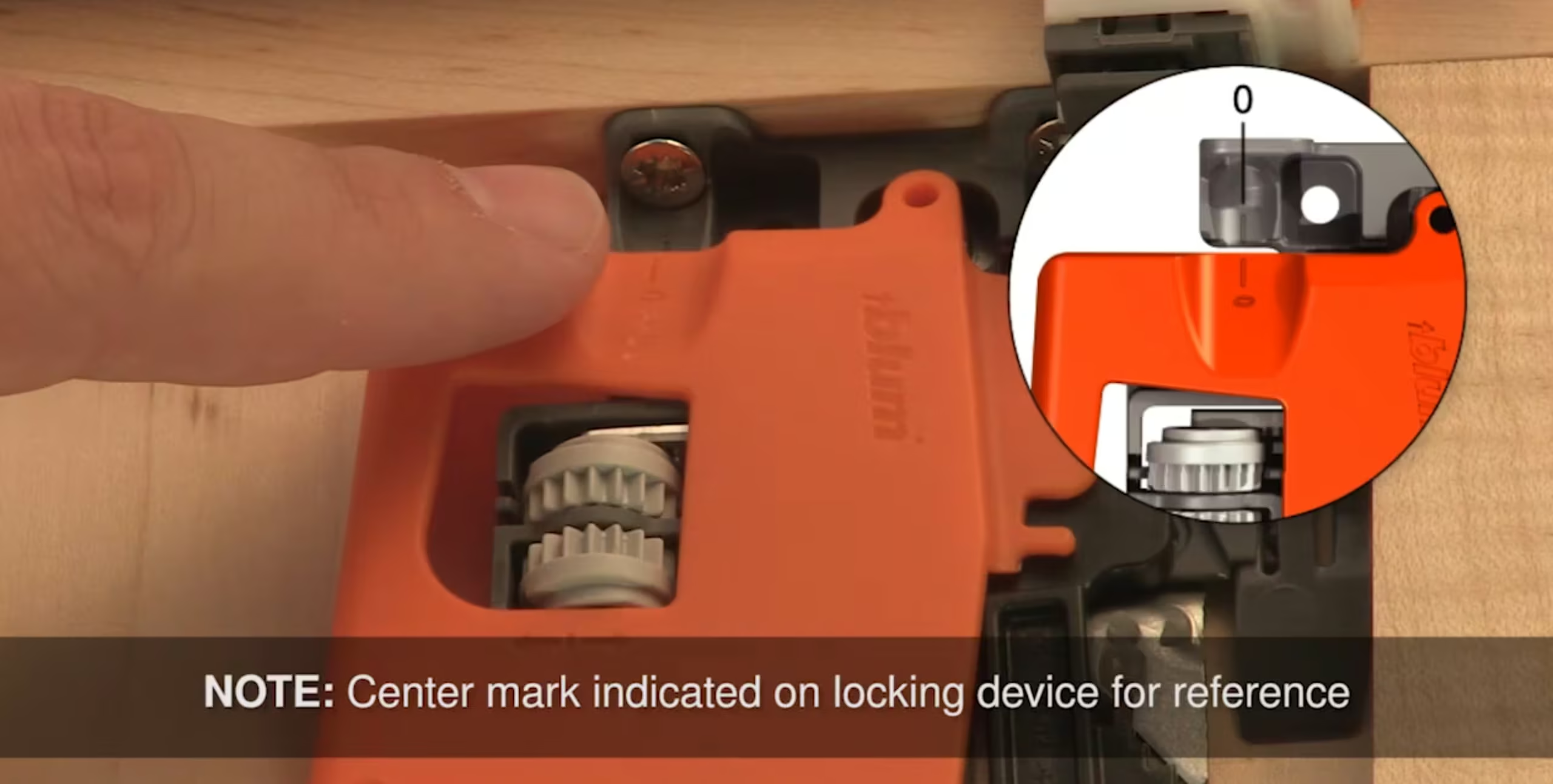
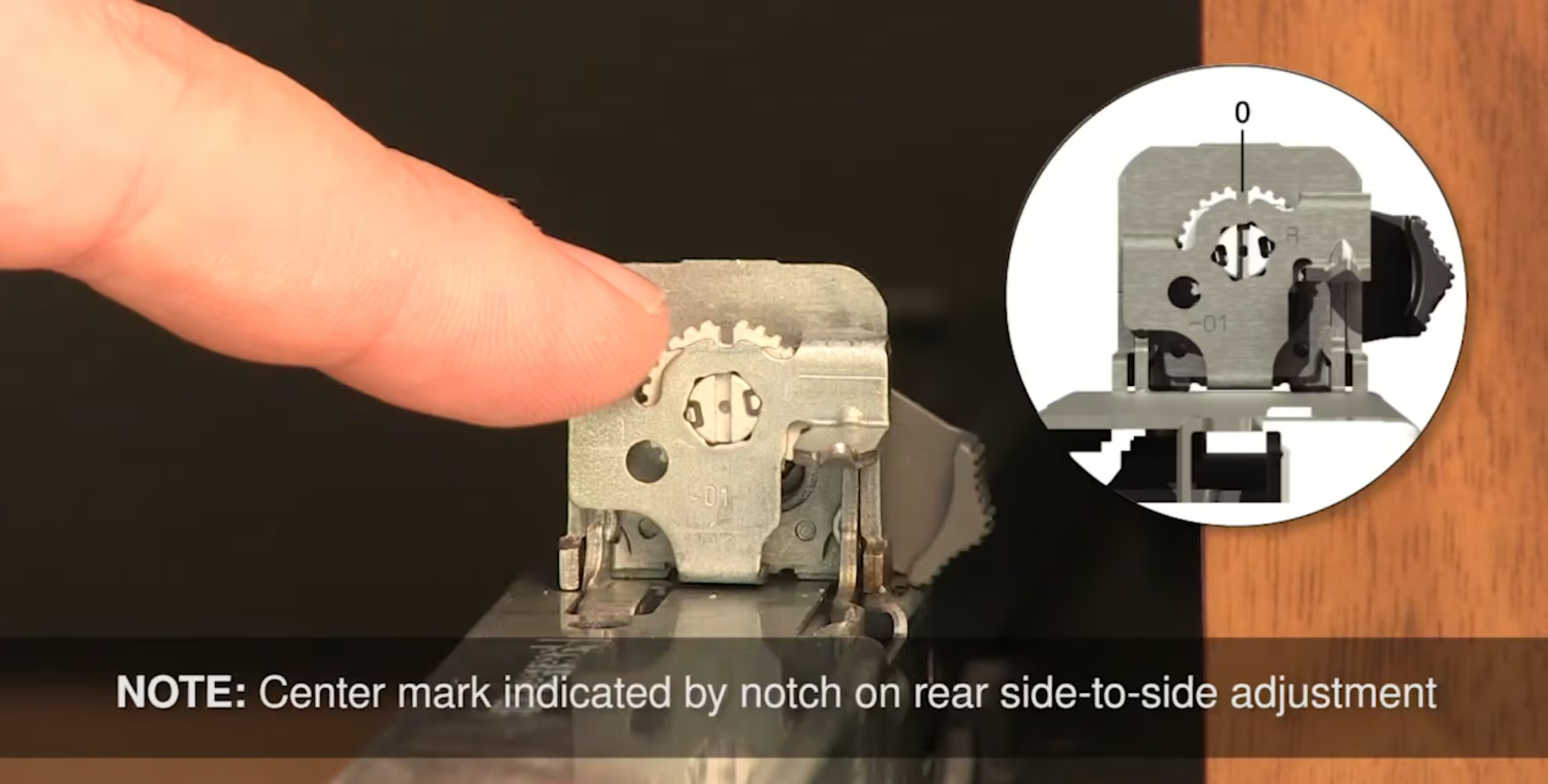
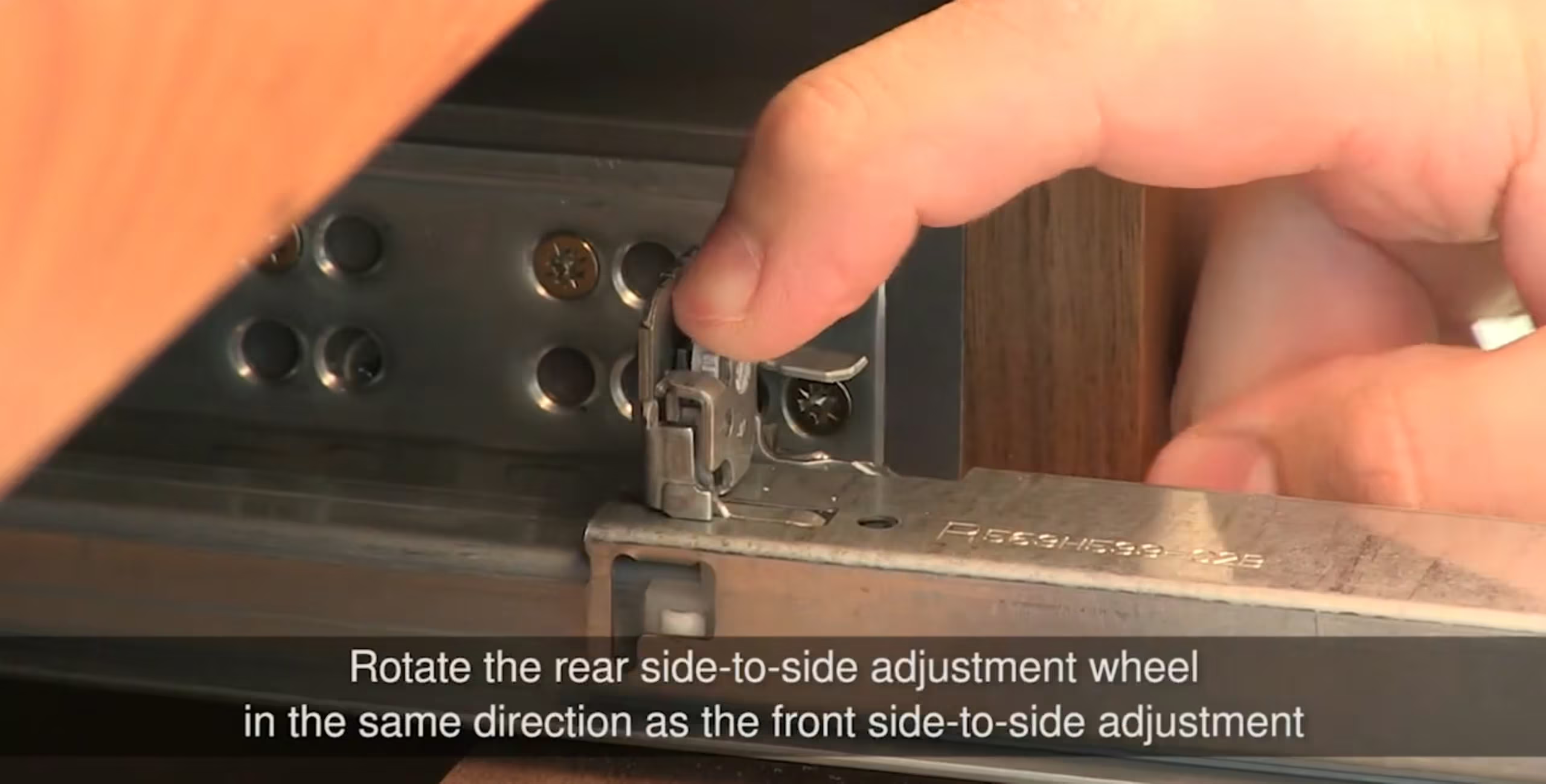
Back of Drawer: Then you need to align the back of the drawer box with the drawer front by rotating the rear side-to-side adjustment devices. To do this, you need to remove the drawer by squeezing the orange locking devices to disengage from the slide. Rotate the rear adjustment wheels in the same direction as the front side-to-side adjustment wheels.
Height (drawer front sitting too high or too low):
The locking clips also have a height adjustment. Turn the height screw clockwise to lower the drawer front, counterclockwise to raise it. You have about 2mm of adjustment range here, which is usually more than enough to get things lined up.
Tilt (one edge of the drawer front is more forward than the other):
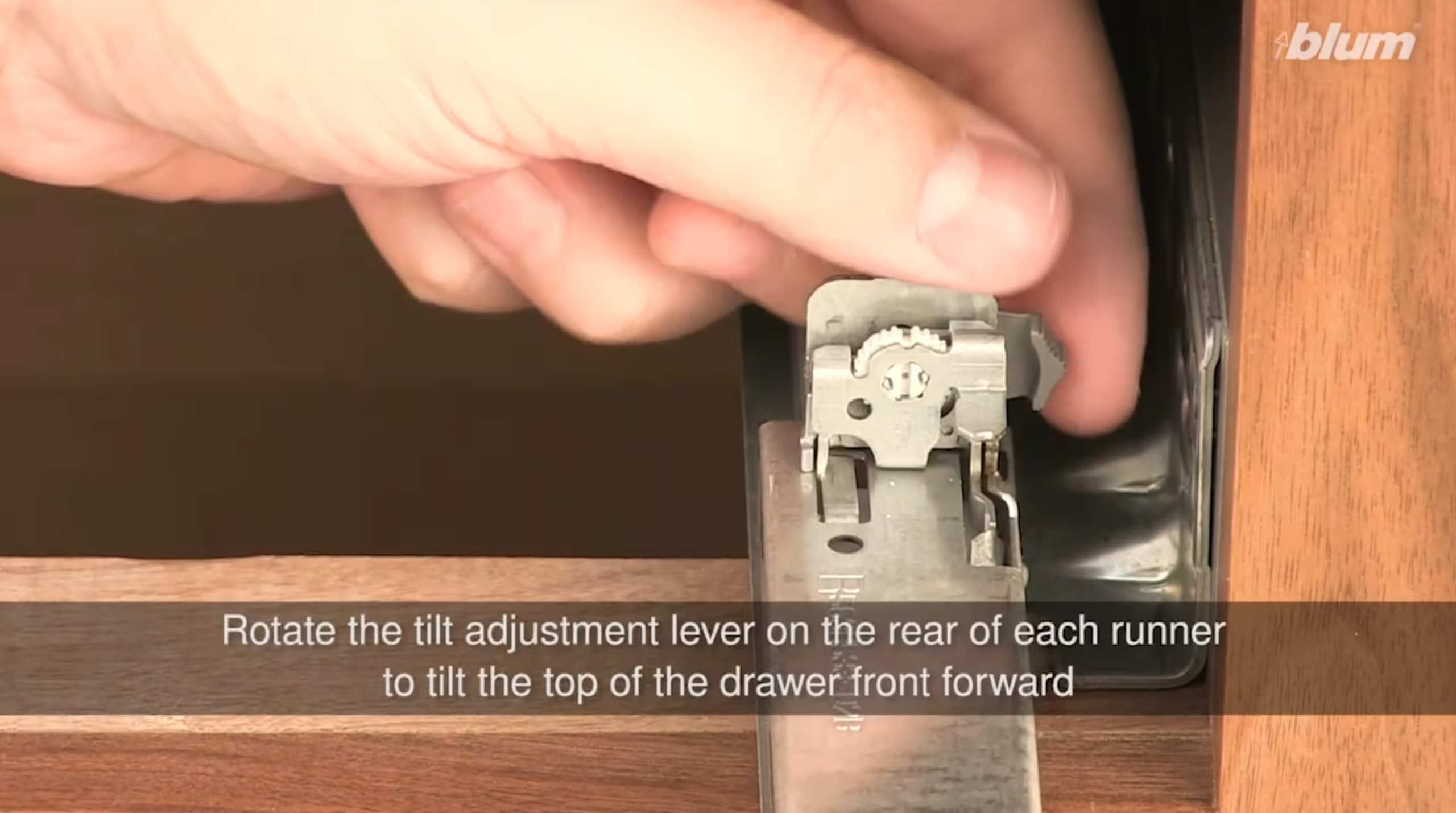
If the drawer front looks slightly tilted — top edge leaning backward — you can adjust the axis of the drawer front to level things out. The tilt adjustment lever is located on the back of each runner. Remove the drawer by squeezing the locking devices to disengage. Rotate the tilt adjustment lever on the rear of each runner to tilt the top of the drawer front forward.
Here’s the video: TANDEM plus BLUMOTION: Height and Tilt Adjustment
Depth — in and out (drawer front is proud or recessed):
There are two ways you can adjust your drawer fronts:
A. If your drawer front is set back by a maximum of 3/32″, you can first try adjusting the orange adjustment screw at the bottom front of your drawer slide (as shown in the photo below.)
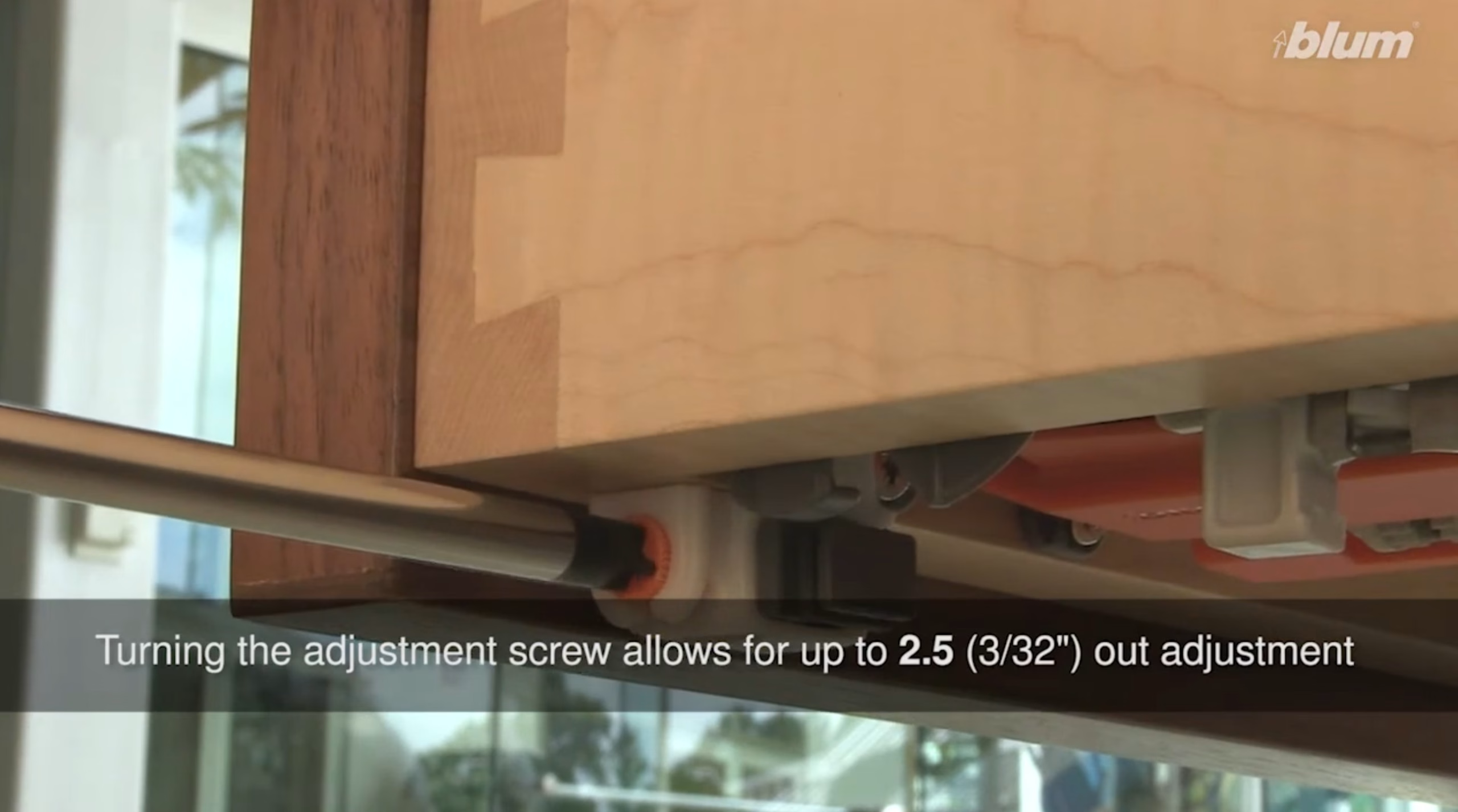
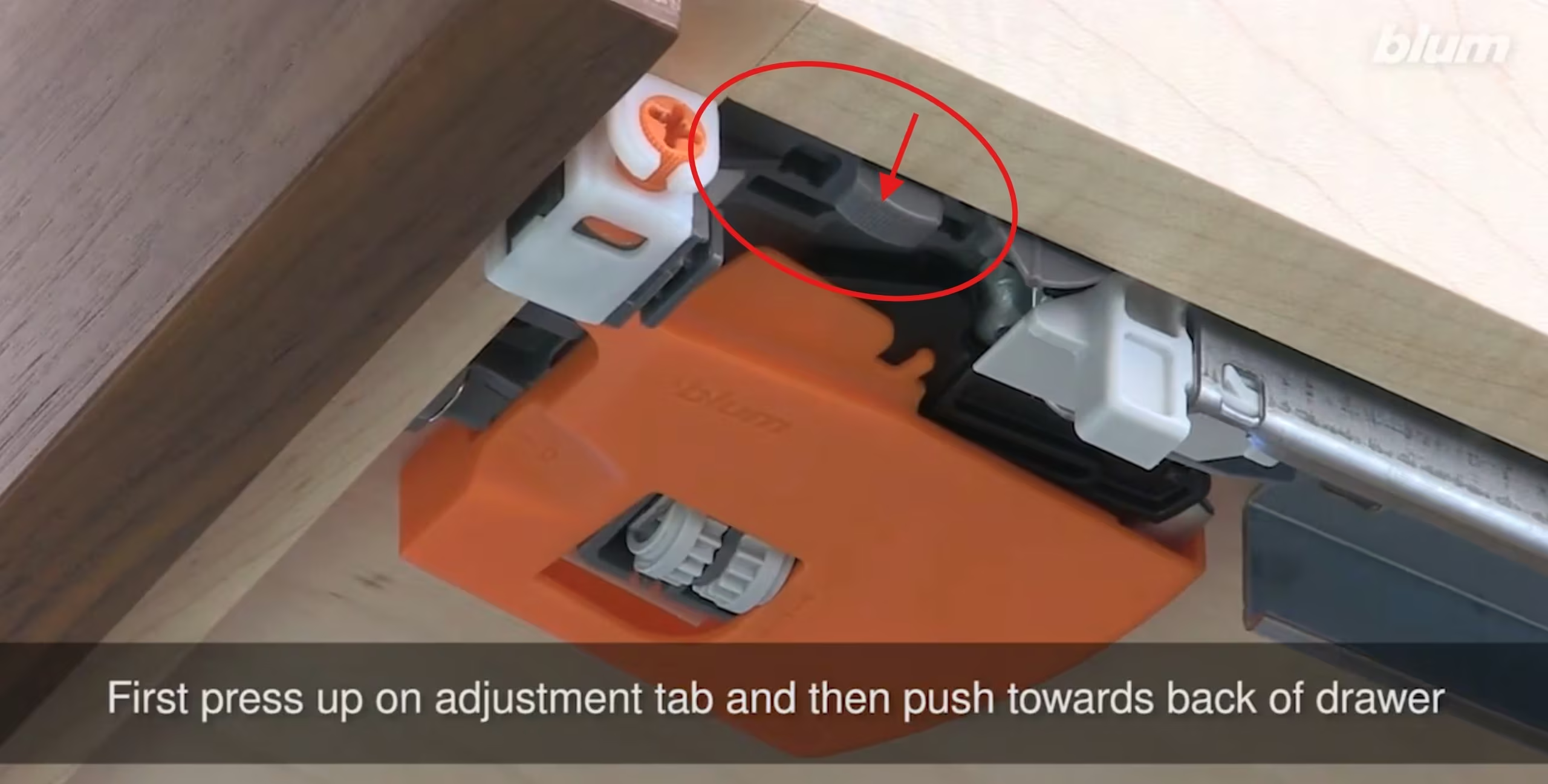
B. For larger discrepancies (either forward or back), you’ll need to remove the drawer first. Squeeze the two orange release clips on the underside of the drawer simultaneously and pull the drawer out. Once removed, you’ll see the mounting blocks on the cabinet side. Loosen the screw attaching the slide to the mounting block, slide the track forward or backward to your desired position, and retighten. (You will need to uninstall the other screws that are holding the slide in place during adjustment and reinstall them after you’ve adjusted the positioning.) Reinstall the drawer by setting it on the extended slides and pushing it back until it clicks into place.
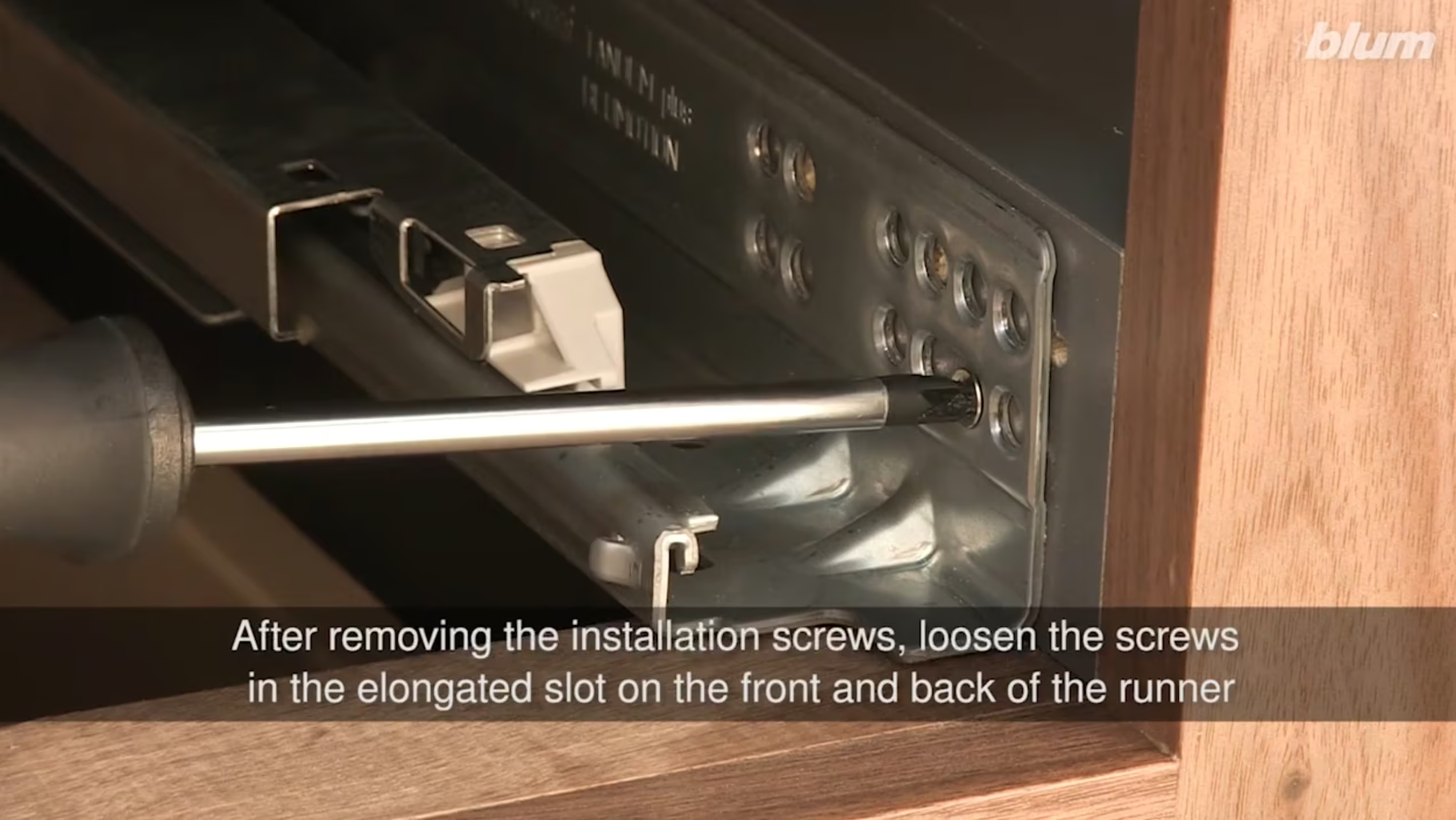
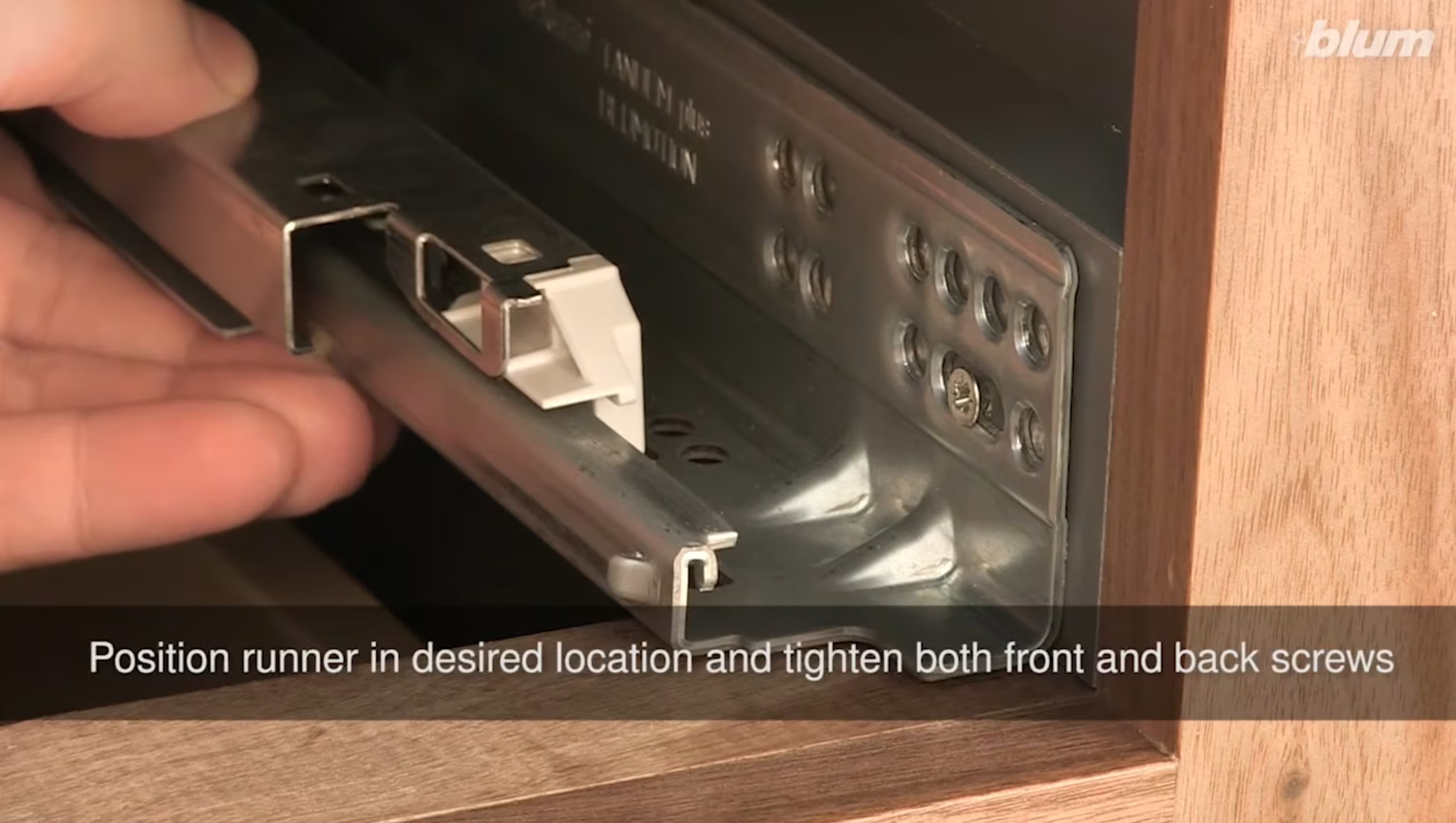
Here’s the video: TANDEM plus BLUMOTION: Depth Adjustment
Adjusting Your Blum MOVENTO Drawer Slides
If your Boxco cabinet drawers are handleless and open with a push — using Blum’s TIP-ON mechanism — they’re running on Blum MOVENTO slides rather than TANDEM. MOVENTO slides are a step up in terms of smoothness and adjustability — they offer the same soft close performance with even more precise fine-tuning options built into the front locking device. The adjustment process is similar in concept but the mechanisms are slightly different.
Side to side (drawer front shifted left or right):
Locate the front locking device on each side underneath the drawer box. You’ll find a small adjustment wheel or screw at the front — turn it to shift the drawer front left or right. As with TANDEM slides, adjust one side at a time and check your alignment after each small turn.
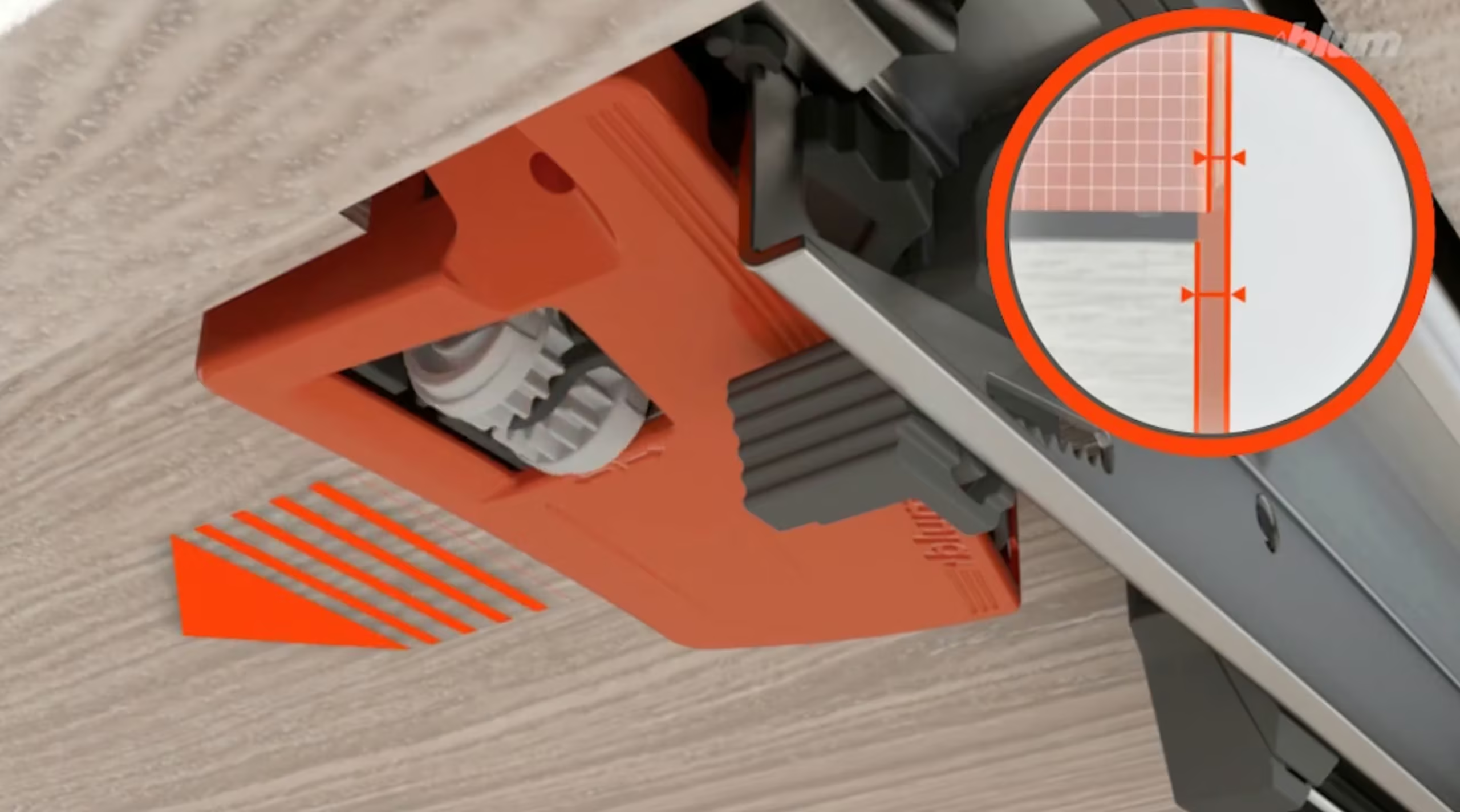
Here’s the video: Movento Front Side Adjustment
Height (drawer front sitting too high or too low):
On the front locking device, there’s a dedicated height adjustment. Turn it clockwise to lower the drawer front, counterclockwise to raise it. MOVENTO slides offer a slightly wider range of vertical adjustment than TANDEM, giving you more room to dial things in precisely.
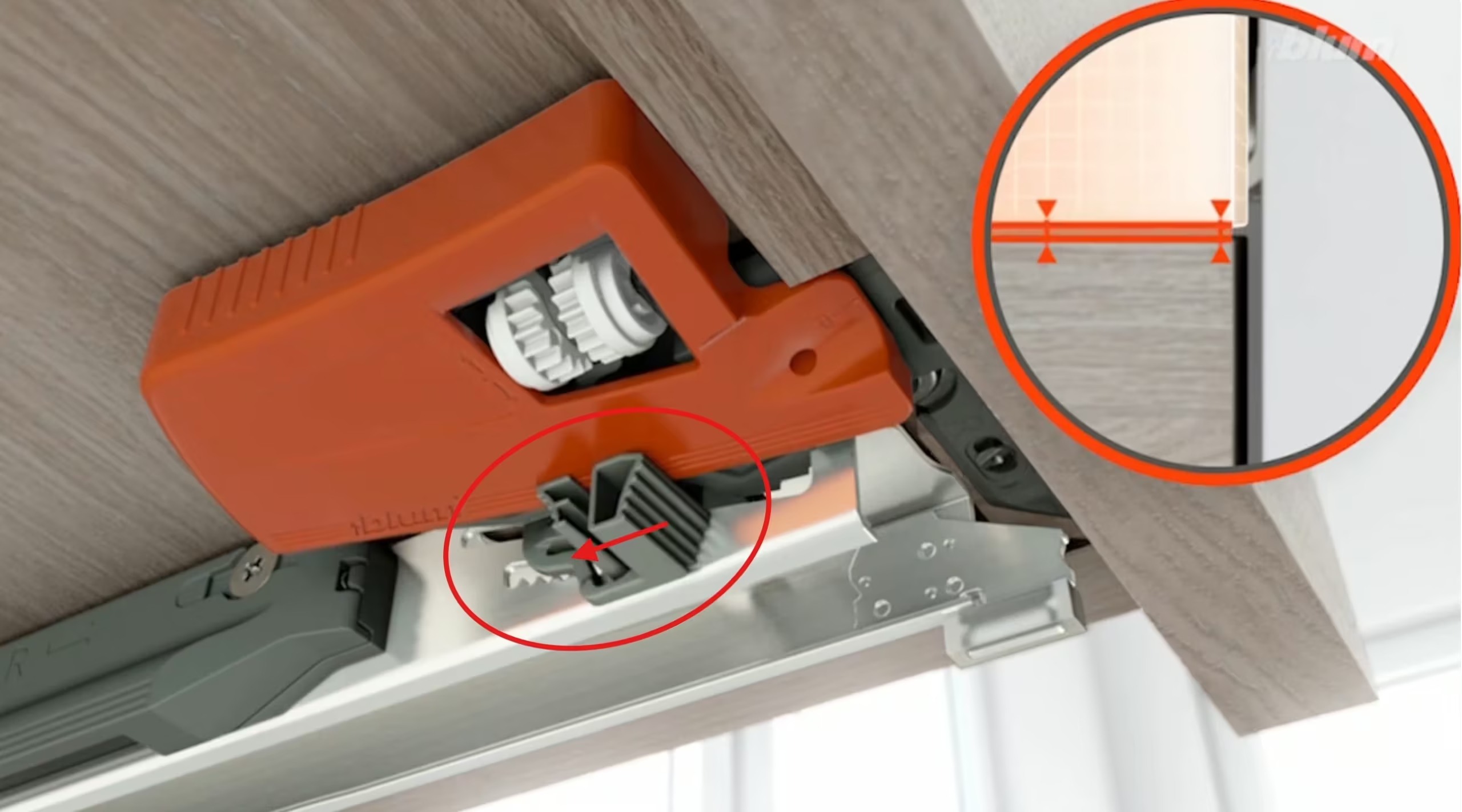
Drawer front tilted up or down on one side? If one side of your drawer front sits higher than the other, adjust the height on just one side to level it out. This is especially handy for wider drawers where even a fraction of a millimeter difference is visible. Watch the tutorial video here.
Depth — in and out (drawer front is proud or recessed):
MOVENTO makes this adjustment easier than TANDEM. The front locking device includes a depth adjustment you can access without removing the drawer — simply turn the appropriate mechanism to push the drawer front forward or pull it back until it’s flush with the cabinet face. If you need more range, you can remove the drawer (squeeze the orange release levers on both sides simultaneously and pull forward) and adjust the runner position on the cabinet side.
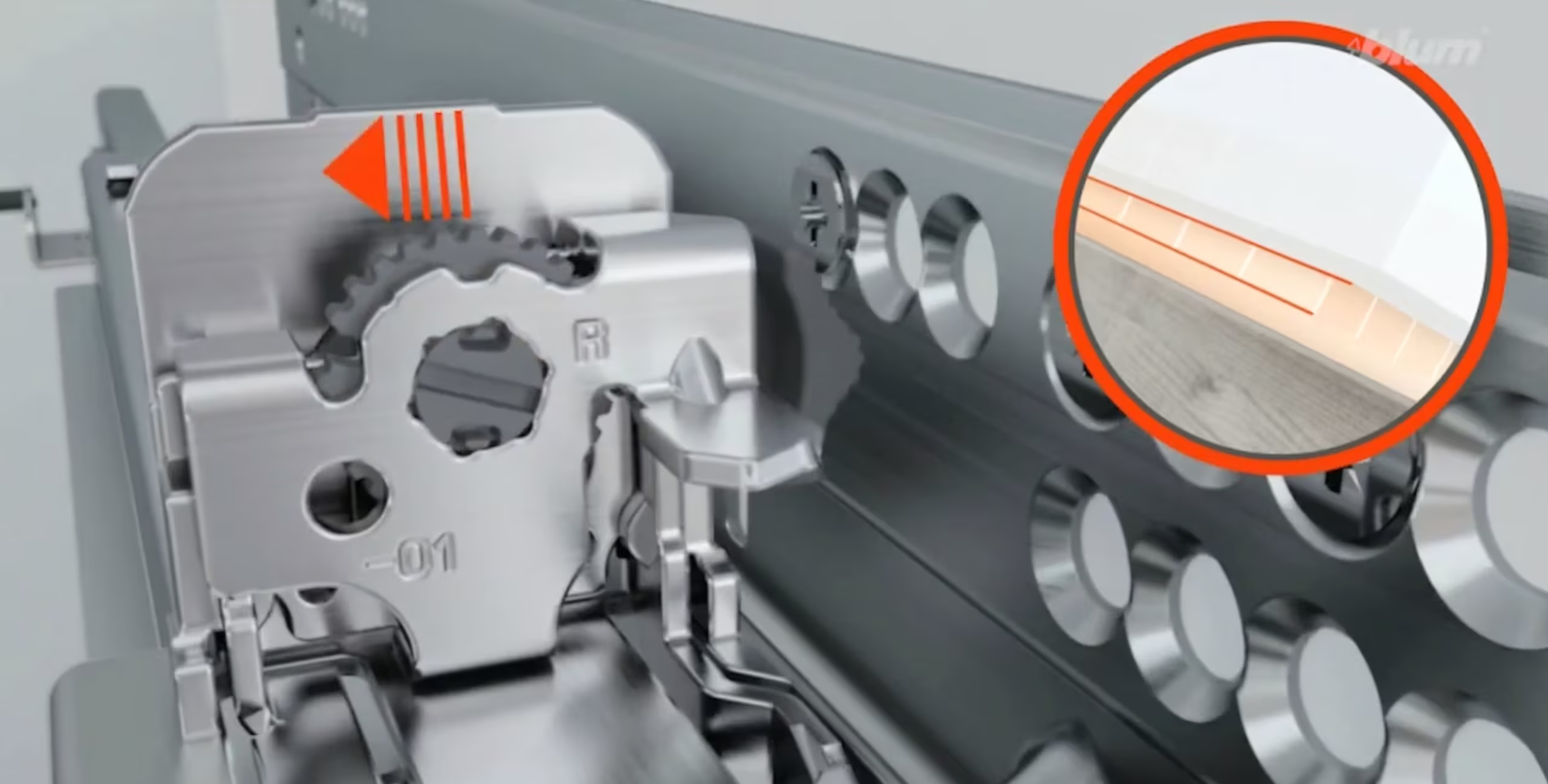
Here’s the video: Movento Adjustments
Tilt front to back (top of drawer front leans in or out):
This is an adjustment unique to MOVENTO that TANDEM doesn’t offer. If the top edge of your drawer front tilts slightly forward or backward relative to the bottom edge, the front locking device has a tilt adjustment to correct it. Small turns go a long way here — this is a fine-tuning adjustment that makes a real difference on tall drawer fronts.
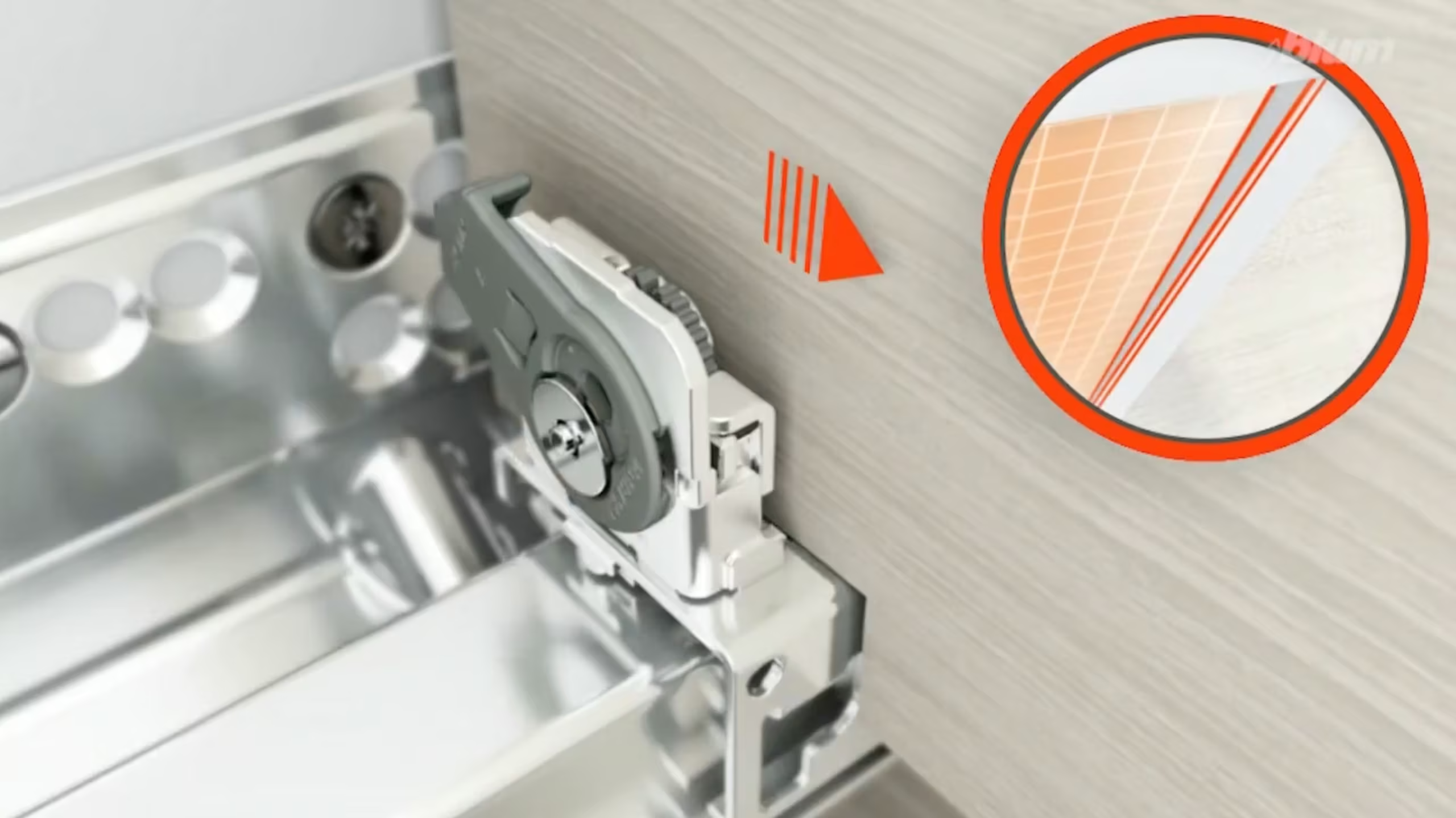
Here’s the video: Movento Adjustments
Adjusting TIP-ON Cabinet Doors (Handleless Push-to-Open)
If your cabinet doors don’t have handles and instead open with a light push, they’re equipped with Blum’s TIP-ON mechanical opening system. TIP-ON uses a small spring-loaded unit mounted inside the cabinet that ejects the door when you press on it, then holds it magnetically when closed. It’s elegant and simple — but it does occasionally need a minor adjustment to keep the door gap consistent and the push-to-open action working smoothly.
Door gap adjustment (door sits too close or too far from the cabinet when closed):
The TIP-ON unit has a built-in depth adjustment right on the ejector pin — the small piston that pushes your door open. Look for the arrow markings on the pin itself. Turn the ejector pin in the direction of the arrows to adjust the gap. Each full turn adjusts the door gap by about 1mm, and the pin clicks into position at four stops per rotation so you can feel each increment. The total adjustment range is about 5mm (+4mm out, -1mm in), which is more than enough for seasonal movement. The pin is designed so you can’t over-rotate it past the safe range, so don’t worry about going too far.
Door not ejecting properly (weak or inconsistent push-to-open):
If a door feels sluggish when you push it, first check that the TIP-ON unit is properly seated in its adapter plate — sometimes the unit can shift slightly. Also make sure the door is making clean contact with the ejector pin when closed. If the hinge adjustment has moved the door out of alignment with the TIP-ON unit, the pin may not be engaging fully. In that case, adjust your hinges first (using the instructions above) to get the door aligned, and then fine-tune the TIP-ON gap.
Door not staying closed:
TIP-ON doors are held shut by a small magnet. If your door is drifting open on its own, check that nothing is interfering with the magnetic contact — a buildup of dust or debris on the magnet or the strike plate can weaken the hold. A quick wipe with a dry cloth usually does the trick. If the magnet seems fine, the issue may actually be a hinge adjustment — if the door is sitting slightly proud of the cabinet, the magnet can’t make full contact. Use the depth adjustment on your hinges to bring the door in closer.
Need visuals? Watch this tutorial >> Troubleshooting TIP-ON BLUMOTION for MOVENTO
Custom Cabinet Maintenance: A Few Tips
Adjust with the door or drawer closed between turns so you can actually see the result. Work in quarter-turn increments — small moves make a big difference with Blum hardware. If you’re adjusting a door with two hinges, try to keep your adjustments even across both.
Seasonal check-ins are a great habit and the simplest form of custom cabinet maintenance there is. Many of our clients find that a quick five-minute tune-up in the fall (when indoor heating starts drying things out) and again in the spring (when humidity rises) keeps everything looking as sharp as the day it was installed. Plywood cabinetry hinges and drawer slides are built to last decades — a little routine attention ensures they perform like it.


Still Need Help?
Sometimes it’s easier to see the door adjustments. Blum has an excellent YouTube channel with detailed 3D animated tutorials that walk you through every adjustment step by step — they’re short, clear, and incredibly helpful if you’re a visual learner. We recommend starting with their hinge adjustment and TANDEM drawer slide videos.
- Blum Door Hinge Adjustments
- Blum Aventos (Lift-up) Adjustments
- Blum Drawer Slide Adjustments (Tandem, Movento, Tip-on)
If you’ve watched the videos, tried the adjustments, and something still feels off — or if a hinge or slide seems damaged rather than misaligned — reach out to us. We’re always happy to walk you through it or schedule a service visit. That’s part of the Boxco experience.